Become a Carpuride Subscriber and be the first to know about our latest product launches and exclusive early-bird discounts. Subscribe now and get ready to take your ride to the next level!
The only universal motorcycle stereo system with integrated radar detection to keep you safe in blind spots and lane changes.
⚡ Special Offer: Save $150 | ✓ Free Shipping | ✓ 30-Day Returns | ✓ 2-Year Warranty | Lifetime OTA Update
⚠️ IMPORTANT - Read Before Purchase: This product is NOT compatible with HarmonyOS and some Android models. View Full Compatibility List
🏍️ Universal Motorcycle CarPlay with Radar BSD
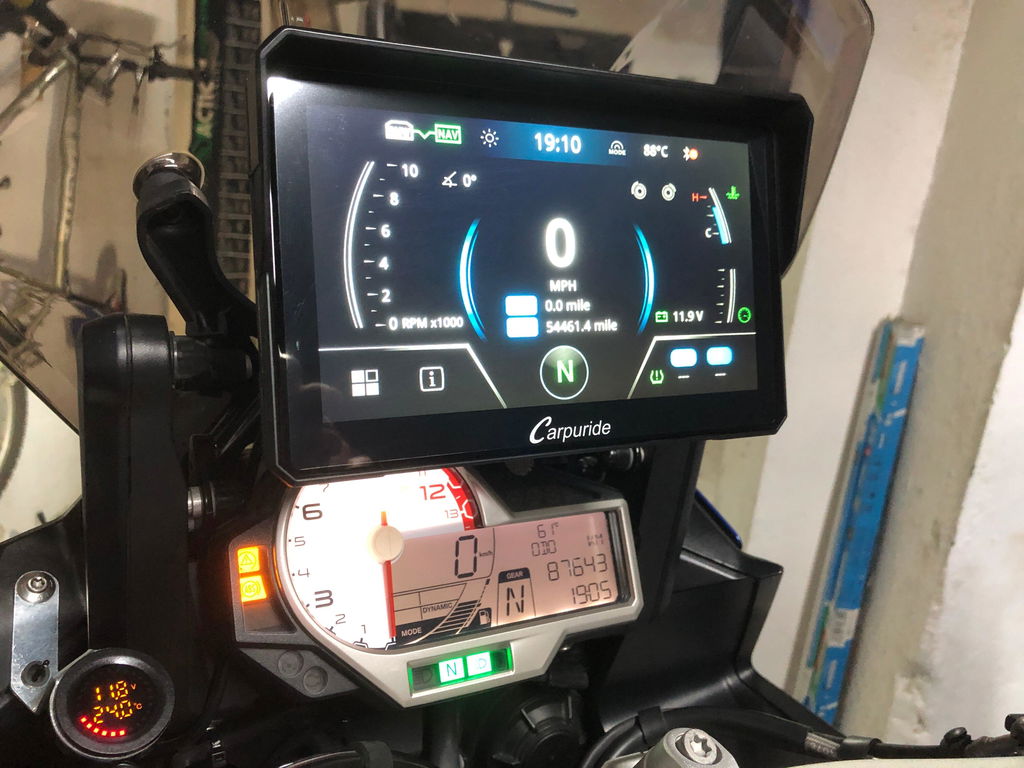
The Carpuride 702RS Pro combines advanced safety technology with seamless smartphone integration. Featuring industry-first Radar Blind Spot Detection, universal BM05 bracket for easy installation, and 7-inch HD display with wireless CarPlay/Android Auto. Perfect for riders who prioritize safety without compromising on connectivity.
Why 702RS Pro is the Safest Choice
🚨 Radar BSD System
Real-time blind spot detection alerts you to vehicles behind. Safer lane changes and overtaking. Prevent accidents before they happen.
🆘 SOS Emergency Call
Automatically detects crashes and initiates a countdown. If no response is given, the system calls your emergency contact to ensure help arrives when needed.
🔧 Plug-and-Play BM05 Bracket
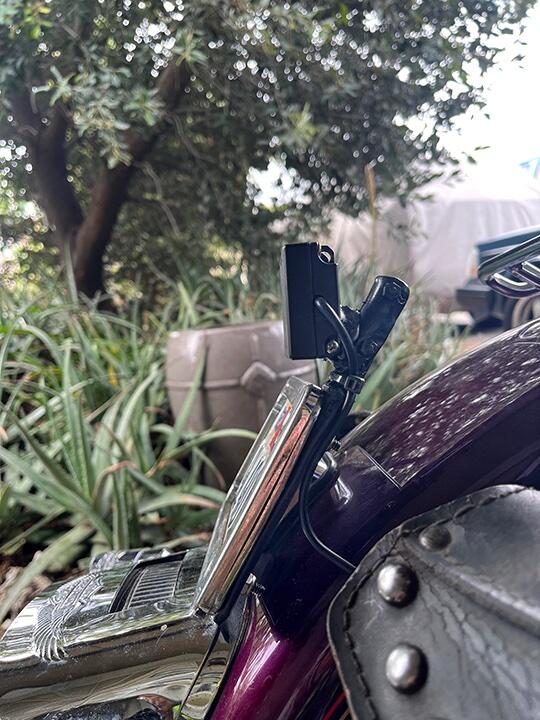
Universal mounting system fits ANY motorcycle (12-28mm handlebars). Install in 5 minutes. No drilling, no modifications.
Switch screens and answer calls with handlebar-mounted button. No need to touch the screen while riding.
🚨 Radar Blind Spot Detection (BSD) System
How it works:
Real-time monitoring: Radar sensor detects vehicles approaching from behind
Visual alerts: On-screen warnings when vehicles enter your blind spot
Lane change safety: Know when it's safe to change lanes or overtake
Accident prevention: Reduces risk of side-swipe collisions by up to 70%
💡 Perfect for: Highway riding, group rides, urban commuting, and long-distance touring where blind spot awareness is critical.
📦 Radar Installation Guide
Mount radar sensor on rear of motorcycle (included bracket)
Connect radar cable to main unit
Start riding with enhanced safety!
⚠️ Important Installation Requirements
For accurate radar detection, please follow these guidelines:
Mounting Position: Install the radar sensor perpendicular to the ground. The radar should be mounted at a height of 75-90cm (30-35 inches) from the ground for optimal detection range.
Clear Detection Zone: Ensure there are NO metal objects (especially license plates, luggage racks, or exhaust pipes) in front of or behind the radar sensor. Metal interference can cause false alerts or reduce detection accuracy.
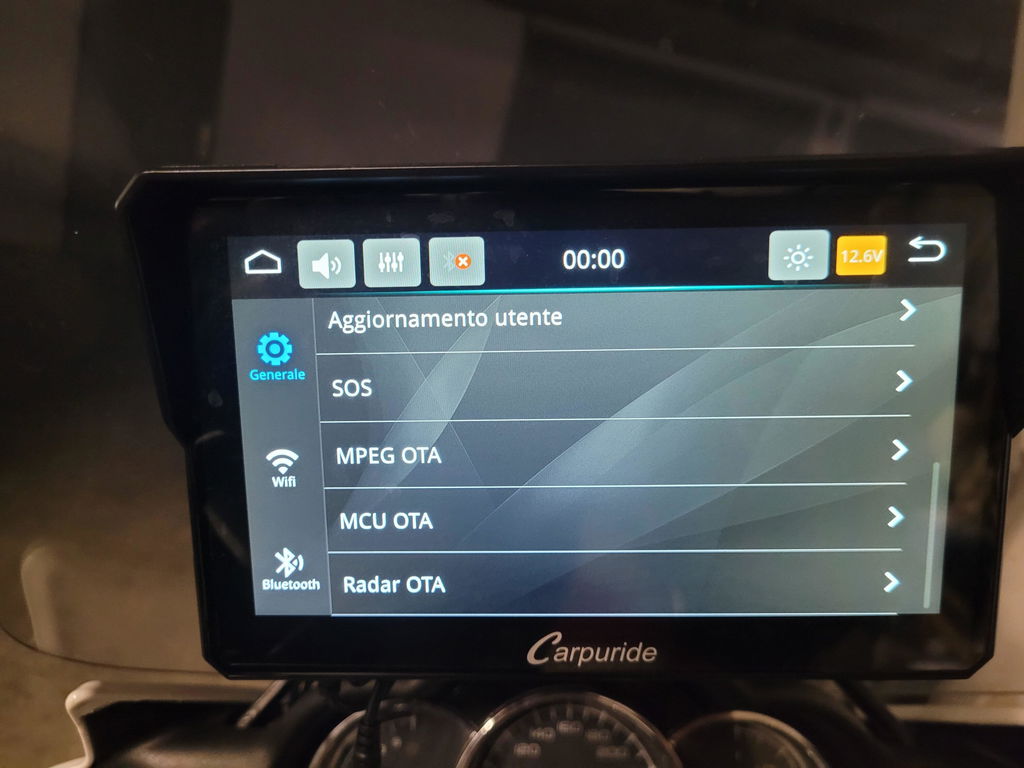
Enable Radar Function: After physical installation, go to Settings menu on the 702RS Pro and turn ON the radar function to activate blind spot detection.
💡 Pro Tip: Test the radar in a safe area after installation. Ride at low speed and have another vehicle approach from behind to verify the system is working correctly.
⚠️ Important: Do not unplug or plug the radar detector cable when the device is working. Always power off the unit first.
🆘 SOS Emergency Mode
Built-in SOS emergency function for critical situations. Quickly activate emergency mode when you need help. Your safety is our priority on every ride.
📊 TPMS Tire Pressure Monitoring System
Real-time tire pressure and temperature monitoring for enhanced riding safety. The TPMS system displays critical tire data directly on your 702RS Pro screen, helping you maintain optimal tire performance and prevent blowouts.
How it works:
Wireless sensors: Install on both front and rear tire valves
Real-time monitoring: Displays pressure and temperature on screen while riding
Instant alerts: Get warnings for low pressure
Easy installation: Replace existing valve caps with TPMS sensors
💡 TPMS Option: Select the TPMS version when adding to cart to include wireless tire pressure sensors for both tires. Sensors are pre-paired and ready to use.
🎮 Handlebar Wired Controller
Included wired controller mounts to your handlebars for easy access:
Cycle Button: Short press to switch between front/rear camera, long press to take photo
Phone Button: Short press to answer/hang up calls, long press to reject call
Home/Lock Button: Short press to return to main interface, long press (3 seconds) to lock screen
Safe operation: Control without taking hands off handlebars
View More Feature Details
🎯 Wireless CarPlay & Android Auto
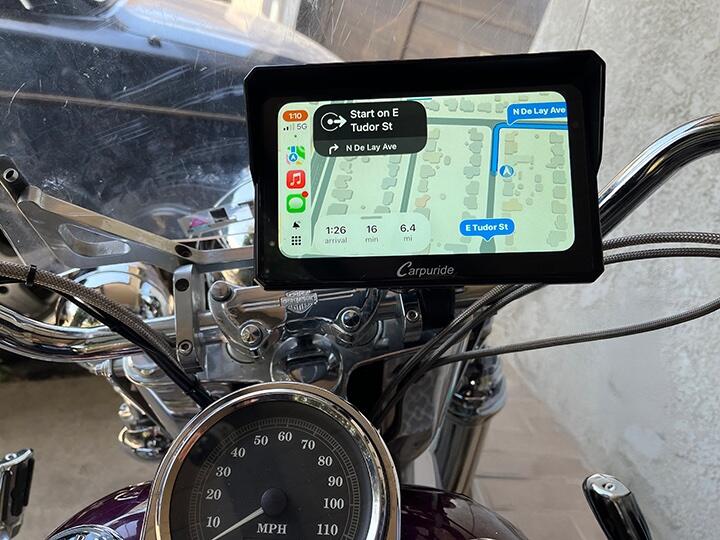
Connect your smartphone wirelessly for instant access to navigation, calls, music, and voice control. Compatible with Apple Maps, Google Maps, Waze, HERE Maps, and Sygic.
🗣️ Voice-Controlled Navigation
Use Siri or Google Assistant to control everything hands-free. "Hey Siri, navigate home" or "OK Google, call John" - it's that simple.
🎧 Dual Bluetooth Audio System
The W702RS Pro features advanced dual Bluetooth technology. Choose the mode that best fits your riding style:
▼ Mode 1: BT Trans (Single-Person Connection)
Best for: Solo riders who want wireless audio to their helmet
How it works:
Connect your Bluetooth helmet directly to the W702RS Pro
The device transmits ALL audio wirelessly to your helmet
Your phone stays connected via WiFi for CarPlay/Android Auto
Setup steps:
Turn on your Bluetooth helmet and set to pairing mode
On W702S Pro: Audio Output → BT Trans → Search for devices
Select your helmet and pair
Audio streams wirelessly to your helmet
⚠️ Important: Do NOT connect your phone to the helmet. Keep helmet paired only with W702RS Pro.
▼ Mode 2: BT Trans (Two-Person Connection)
Best for: Riding with a passenger or sharing audio
How it works:
Connect TWO helmets simultaneously
Both riders hear music and navigation
Bluetooth 1 (driver) gets calls and voice assistant
Bluetooth 2 (passenger) gets music and navigation only
💡 Pro Tip: Driver should connect to Bluetooth 1 for full functionality. Maximum distance: 10 meters.
▼ Mode 3: iPlay/Auto (Bluetooth Audio)
Best for: Traditional phone-to-helmet connection
Connect phone directly to your helmet (traditional), then connect phone to W702S Pro via WiFi for screen display. Audio plays through helmet, visuals on W702S Pro.
🎯 Which Mode Should You Choose?
Solo rider: Mode 1 (simplest)
With passenger: Mode 2 (share audio)
Group rides: Mode 2 (within 10m)
Existing system: Mode 3 (keep current setup)
💬 Music Sharing & Intercom Function
BT1 (Primary): Full functionality - calls, music, voice assistant, and intercom
BT2 (Secondary): Music sharing and intercom only (no calls or voice assistant)
Intercom: Click the intercom icon to enable rider-passenger communication. Click again to disable
⚠️ Note: Intercom mode and BT transmission mode cannot be used simultaneously. Switch between modes as needed.
🧭 Compass & Barometer
Built-in compass shows direction, barometer displays altitude. Essential for adventure riders and off-road exploration. Never get lost, always know your elevation.
🎵 64GB TF Card Support (Expandable to 256GB)
Load your music library directly onto a TF card. Play music without draining your phone battery or using mobile data. Perfect for long rides in areas with poor cell coverage. You can expand up to 256GB if you want more storage for music, movies, and media files.
🌧️ All-Weather Performance
IP67 Waterproof Rating - Fully protected against:
Heavy rain and water spray
Dust and dirt
Extreme temperatures (-20°C to 60°C)
Vibrations and shocks
Ride confidently in any weather condition. Tested in the harshest environments.
🏍️ Universal Compatibility
Works with virtually any motorcycle:
Sport bikes (Yamaha, Kawasaki, Suzuki, Honda)
Cruisers (Harley-Davidson, Indian, Victory)
Adventure bikes (KTM, Triumph, Ducati)
Dirt bikes and dual-sport motorcycles
Electric motorcycles
Scooters and mopeds
Who Benefits Most from 702RS Pro?
🏙️ Urban Commuters: Radar BSD for safer lane changes in heavy traffic
🛣️ Highway Riders: Blind spot monitoring at high speeds reduces accident risk
🏔️ Long-Distance Tourers: Navigation, TPMS, compass, and barometer for epic adventures
👥 Riding with Passenger: Dual Bluetooth and intercom for communication and music sharing
Special Features: Radar BSD, TPMS display, dual Bluetooth, intercom, compass, barometer, wired controller, auto brightness
🔧 Installation Guide
Complete installation in 15 minutes:
Mount BM05 bracket: Attach to handlebars using included clamps (fits 12-28mm)
Install main unit: Slide 702RS into bracket until it clicks
Connect power: Route cable to battery or use USB-A port
Mount radar sensor: Install on rear with included bracket (75-90cm height, perpendicular to ground)
Install wired controller: Mount to handlebars and connect cable
🔔 Power Tip: When using hardwire cable, press and hold power button to shut down before turning off your motorcycle to prevent battery drain.
📦 Two Installation Options
Choose the mounting style that works best for your motorcycle:
Option 1: Extension arm mount - adjustable height and angle
Option 2: Direct handlebar mount - low profile, secure
⚠️ Important Compatibility Notes
BMW Motorcycles:
The 702RS Pro does NOT support BMW Wonder Wheel Control. If you have a BMW and want OEM controller integration, please choose our W702BS model instead.
Phone Compatibility:
❌ NOT Compatible with HarmonyOS :
All phones running Huawei HarmonyOS are NOT supported.
❌ Also have Compatible Issues with :
Samsung: Galaxy Note 20, S20, Galaxy A20
Huawei (EMUI versions): P series, Mate series
Xiaomi: 12 Pro, 11 Lite, Redmi 9
Oppo: Reno 2 series
🔍 How to Check Your Phone:
Huawei users: Go to Settings → About Phone → Version. If it shows "HarmonyOS" , it is NOT compatible.
Other brands: Check if your phone model is listed above.
⚠️ Important: Orders placed with incompatible phones may be subject to restocking fees if returned. Please verify compatibility before purchase to avoid inconvenience.
📦 What's in the Box
1x Carpuride 702RS Pro main unit
1x BM05 universal plug-and-play bracket
1x Radar BSD detector
1x Handlebar wired controller
1x Power cable (battery connection)
1x USB-A cable
1x Ring bracket
Installation hardware (screws, clamps)
User manual
📊 TPMS Version Includes: All standard items PLUS 2x wireless TPMS sensors (pre-paired and ready to install on front and rear tire valves).
❓ Frequently Asked Questions
Does this work with BMW Wonder Wheel control?
No, the 702RS Pro is a universal model and does NOT support BMW Wonder Wheel control. For BMW-specific integration, please choose our W602BS or W702BS/W502BS model.
Is TPMS included or do I need to purchase it separately?
TPMS sensors are available as an optional add-on. Select the TPMS version from the options above when adding to cart. The sensors come pre-paired and ready to install on your tire valves.
Will the radar work on my motorcycle model?
The radar BSD system is universal and works on most motorcycles. The key requirement is proper installation: mount the radar sensor 75-90cm from the ground, perpendicular to the ground, with no metal objects (like license plates) blocking the front or rear detection zone.
My phone is not listed in the incompatible list. Will it work?
If your phone is not on the incompatible list and runs iOS 10+ (for iPhone) or Android 11+ (for Android), it should work with wireless CarPlay/Android Auto. If you're unsure, email us at service@carpuride.com with your phone model before ordering.
Can I power the device with USB instead of hardwiring to the battery?
Yes! The 702RS Pro can be powered via USB-A port (requires 5V, 2.5A minimum) or by hardwiring to your motorcycle's 12V battery. USB power is convenient for testing or temporary use, while hardwire provides more stable power for permanent installation.
✓ Your Purchase is Protected
30-Day Money-Back Guarantee - Not satisfied? Full refund, no questions asked
2-Year Warranty - Free repairs or replacement for manufacturing defects
Free Worldwide Shipping - With tracking number
24/7 Support - Email service@carpuride.com anytime
Lifetime Software Updates - Free OTA firmware updates
Ready to ride safer? 🚨 Order now - Save $150 + Free shipping + 30-day returns
I purchased the 702RS Pro+TPMS product on 02/26/26. After waiting for the shipment to arrive and for the repainted motorcycle fairings to be delivered, I finally installed the product, which was fully functional. I then went to the car wash to clean the fairings, which had gotten dirty during installation, but afterward the radar device was no longer detected.
I reported the issue to customer support, and they sent me a new radar unit free of charge; once it was installed, it started working perfectly.
I’d like to thank Carpuride’s customer support team for their assistance, and I recommend this product, which provides an extra set of eyes while driving on Europe’s busy roads.
Paolo L.
B
Bob O.
Carpuride 702RS Pro with Optional TPMS works!
I purchased several Carpuride 702RS Pro with Optional TPMS CarPlay units.
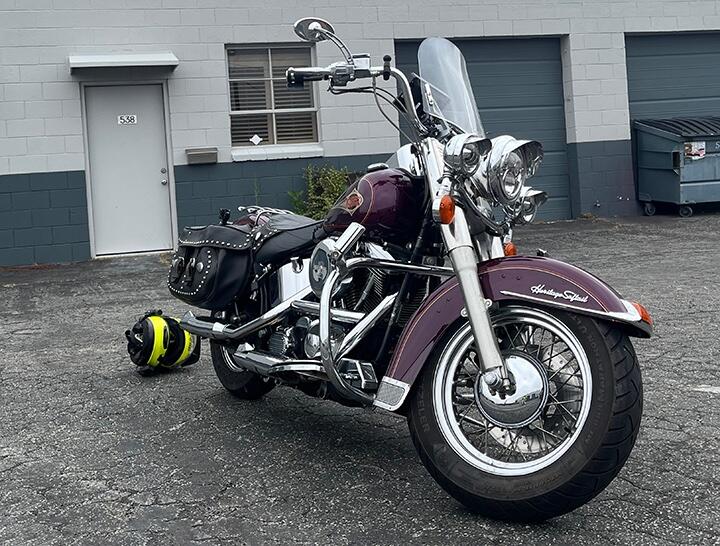
So far, I have installed one on my older Harley-Davidson and it brought the bike into the 21st century! I am very pleased with the 702RS Pro because I can see tire pressure, and use my iPhone apps like Waze, and maps, or listen to music through my AirPods (if I wanted to). The rear radar also is a plus!
And, I was able to install a firmware update right in my garage.
I am currently installing a second unit on my BMW R1200RT.
A third unit will be next on my other BMW K1200LT.
All three are older motorcycles with up-to-date technology!
What's not to love?
E
Eric DEGEYE
Carpuride 702RS Pro - Just Excellent!
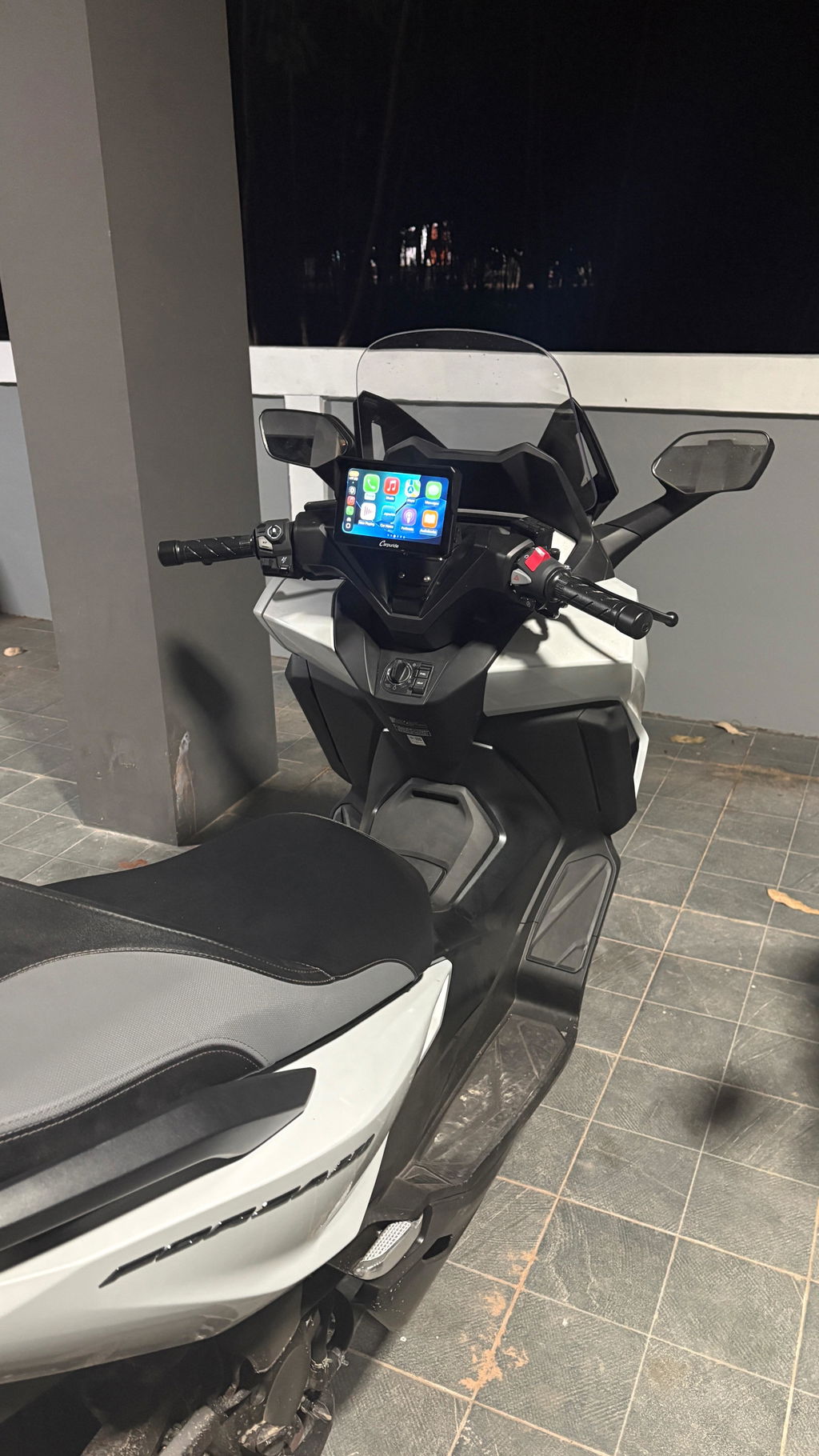
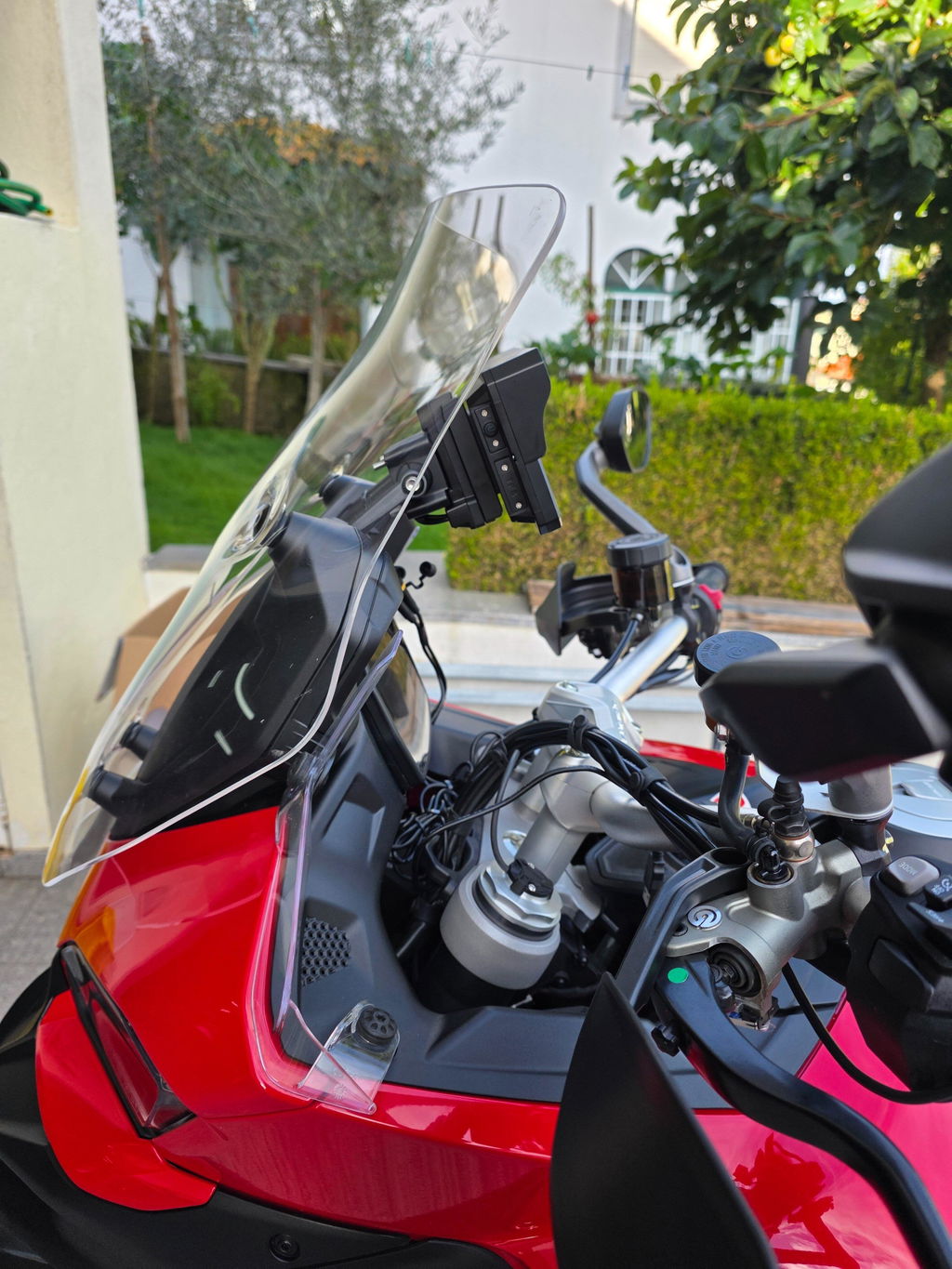
I installed my Carpuride 702RS Pro a few days ago and I am very happy with it. The build quality is excellent, installation on my Honda Forza 350 was straightforward, and pairing with my phone was effortless. The mounting system is stable while riding, and the display is outstanding — bright, clear, and fully readable even in direct sunlight with no reflections.
I initially struggled with pairing my Cardo intercom, but after emailing Carpuride support, they replied very quickly and provided the exact steps to resolve it. Their support was fast and effective, which I really appreciated.
I also installed the TPMS, which is a great addition and allows me to monitor tire pressure in real time. One suggestion: it would be very useful to have an alarm when pressure drops abnormally low.
I have not installed the rear radar yet because it requires removing several panels on the Forza, so I will have it done by a specialist.
Overall, I am a very satisfied customer and I highly recommend this system to anyone.
P
Prasanna Ramkumar
Good Device to have for any motorcycle
I bought the 702RS-Pro mainly for the Radar Blind Spot Detection System, which is a very useful safety feature—especially with unpredictable drivers who tend to sit in your blind spot. I tested the unit indoors using USB power, and it has been working well so far. It also integrates smoothly with Android Auto on my Pixel 10 Pro.
I haven’t tested it on an actual motorcycle yet, as I’m currently waiting for delivery of my new motorcycle. Hope it works as intended.
Though i am still figuring out how to set Time in the unit. Always start with 00:00 whenever powered on. There are no instructions to set time or maybe it is not possible. My suggestion on improvement could be by adding a coin battery to run the clock internally as a backup once the power is down.
g
german masoli
Carpuride 702RS Pro with Optional TPMS - Motorcycle CarPlay with Radar BSD & Plug-and-Play Bracket
We understand that finding the perfect product isn’t always easy, and we want you to be completely satisfied with your purchase. If for any reason you are not, please contact our official customer service first (Email: service@carpuride.com)to obtain a Return Authorization before sending anything back. Unauthorized returns will not be accepted.
1. Return Period
You may request a return within 30 days from the date you received your package. After 30 days, only warranty service will be available — returns will not be accepted.
2. Non-Returnable Situations
Returns will not be accepted if:
The product exceeds the 30-day return period.
There is no valid order number or the purchase record does not match.
The product has been opened or used without any quality issue and cannot be resold (subject to customer service judgment).
The product is damaged, altered, missing accessories (including packaging materials, manuals, etc.), or not in its original condition.
The return was made without prior authorization from customer service.
3. Return Shipping Responsibility
Reason for Return
Who Pays Shipping
No quality issue (e.g., personal preference, wrong purchase)
Returned products must be kept in original condition, including all packaging, manuals, and accessories.
If the product is damaged, altered, or missing parts, Carpuride reserves the right to charge fees based on the original purchase price or reject the return.
5. Return Address
All returned packages must be approved via email first. Packages must be returned to the return address provided by customer service; packages returned without prior approval will not be accepted.
Customs Declaration Reminder: We recommend declaring a reasonable value under USD $40 (to reflect used, non-commercial status). Please ensure the recipient’s phone number is included on the shipping label to prevent delivery issues. Carpuride will not be responsible for customs duties or extra fees resulting from incorrect or high-value declarations.
Refund Policy
1. Order Cancellation Rules
If the package has not been shipped, you may request to cancel the order. (Whether cancellation is possible depends on whether the package can be intercepted; due to time differences, customer service may not see your message immediately.) If the package cannot be intercepted, it must follow the Return Policy process.
Once the package has been shipped, the order cannot be canceled and must be handled according to the Return Policy.
2. Refund Application Conditions and Amount
Package has not been shipped: The order can be canceled, and a full refund will be issued.
Within 30 dayswithout quality issue (from the date of receiving the package): A full refund is supported, and the buyer is responsible for the return shipping cost.
Within 30 days with quality issue(from the date of receiving the package): A full refund is supported, and no fees will be deducted (return shipping will be covered by the official service).
Beyond 30 days (from the date of receiving the package): Refunds are not supported, and only repair services can be requested according to the warranty policy.
3. How to Request a Refund
Please contact our official customer service via email: service@carpuride.com Include the subject line “Cancel Order,” and provide your order number and reason for cancellation.
4. Refund Method
Refunds will only be made via the original payment method (such as international credit card or PayPal). We do not support changes in refund method. Carpuride is not responsible for any losses due to currency exchange fluctuations.
5. Refund Processing Time
Once the refund application is approved, the refund will be processed within 7–15 business days. Actual arrival time may vary depending on your payment platform or bank processing speed. If you have not received your refund after 15 business days, please contact customer service and provide your order number, payment proof, and refund request record for assistance.
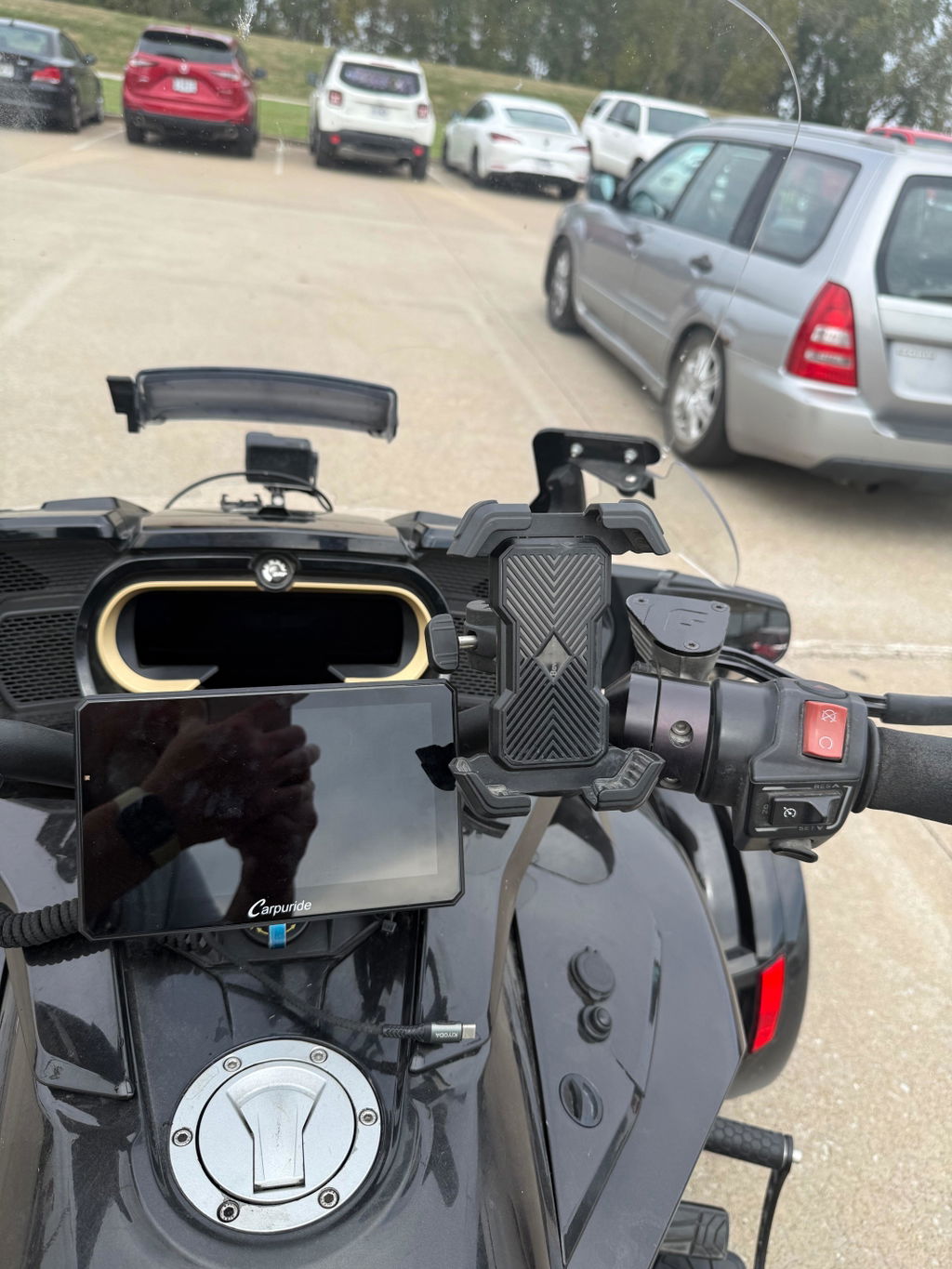
I absolutely love my Carpuride on my Spyder F3 limited. I have the TPMS and dash cam options installed and both work flawlessly. Apple CarPlay is great, dark maps are easy to see. In fact, while my iPhone screen sucks on heat and sun glare the Carpuride is visible and consistent. When I’m cruising I’m listening to music on my noise canceling AirPods and using the screen in rear camera mode as a rear view mirror.
My only complaint is the difficulty in getting videos off my Carpuride to my iPhone. The Viidure app is flaky and the .TS video format is not Apple friendly. That needs fixing.
Creo que es el mejor accesorio que le he puesto a mi moto, y lo mejor es que la
Instale yo mismo, me gusta mucho como se ve instalada y tiene una calidad increíble.
Recomiendo muchísimo este producto funciona súper bien
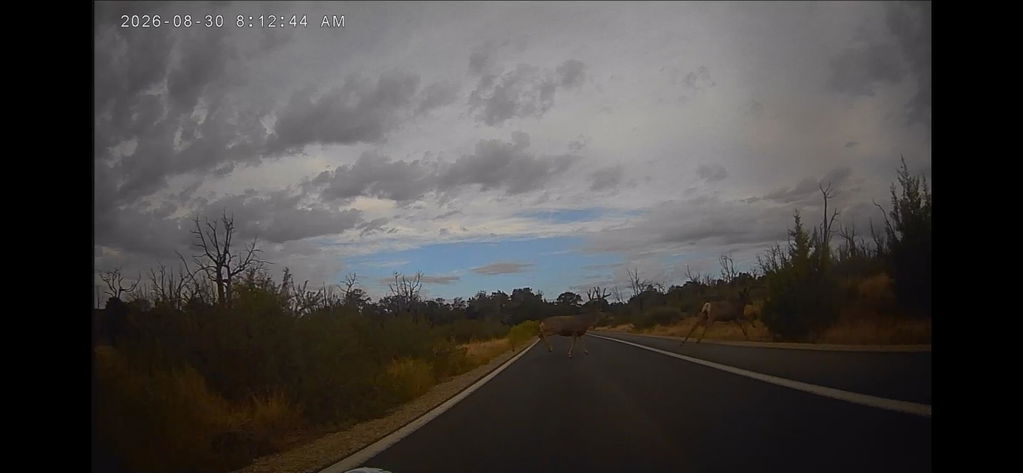
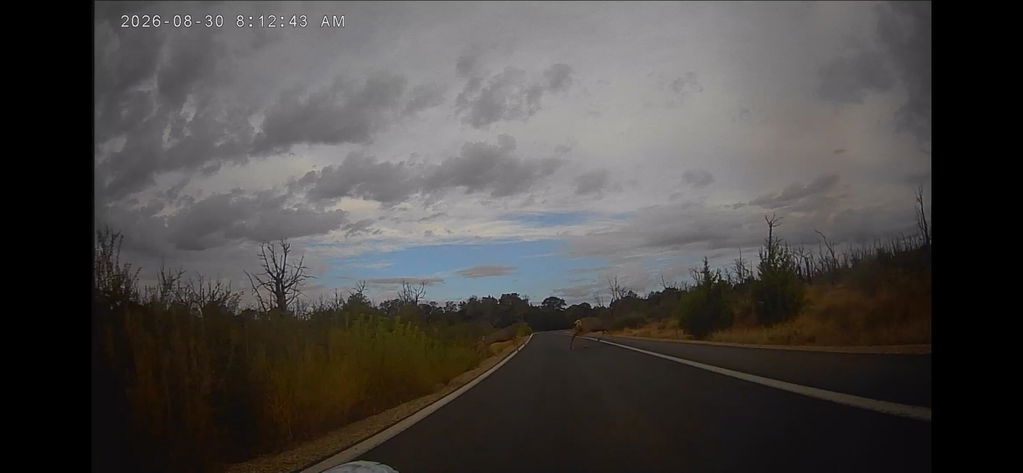
I’ve been using my Carpuride for over a year and I am very impressed by the clarity, reliability, ease of use, and the customer service. I have used it through pouring rain and desert heat and have never had a problem. It was easy to install and the front and rear cameras are great.
The photos are from the front camera as I encountered a couple of deer on an early morning ride.
I highly recommend this product and as the organizer of a 200 member motorcycle group, I’ve had several of my group members also purchase a Carpuride. The feedback I get from them is that they are impressed too.
I asked Carpuride for a start-up screen with my group’s logo and I received it quickly.
I am considering upgrading to the GPS unit, but the one I have now works so well that I am having trouble justifying the purchase lol.